
New features in Fabasoft Approve further simplify central document processes and help to embed information directly in PDFs and check documents in a structured manner using AI.
Metadata stamps for traceable PDF documents
With the new metadata stamps, Fabasoft Approve enables important information to be displayed directly in the PDF document. You can now embed selected metadata permanently and unalterably in the document so that it is clearly arranged, traceable, and available in an audit-proof manner. A distinction is made between static and dynamic stamps.
Static stamps
Static stamps are classic image stamps with fixed dimensions, for example for logos, approvals, or simple markings.
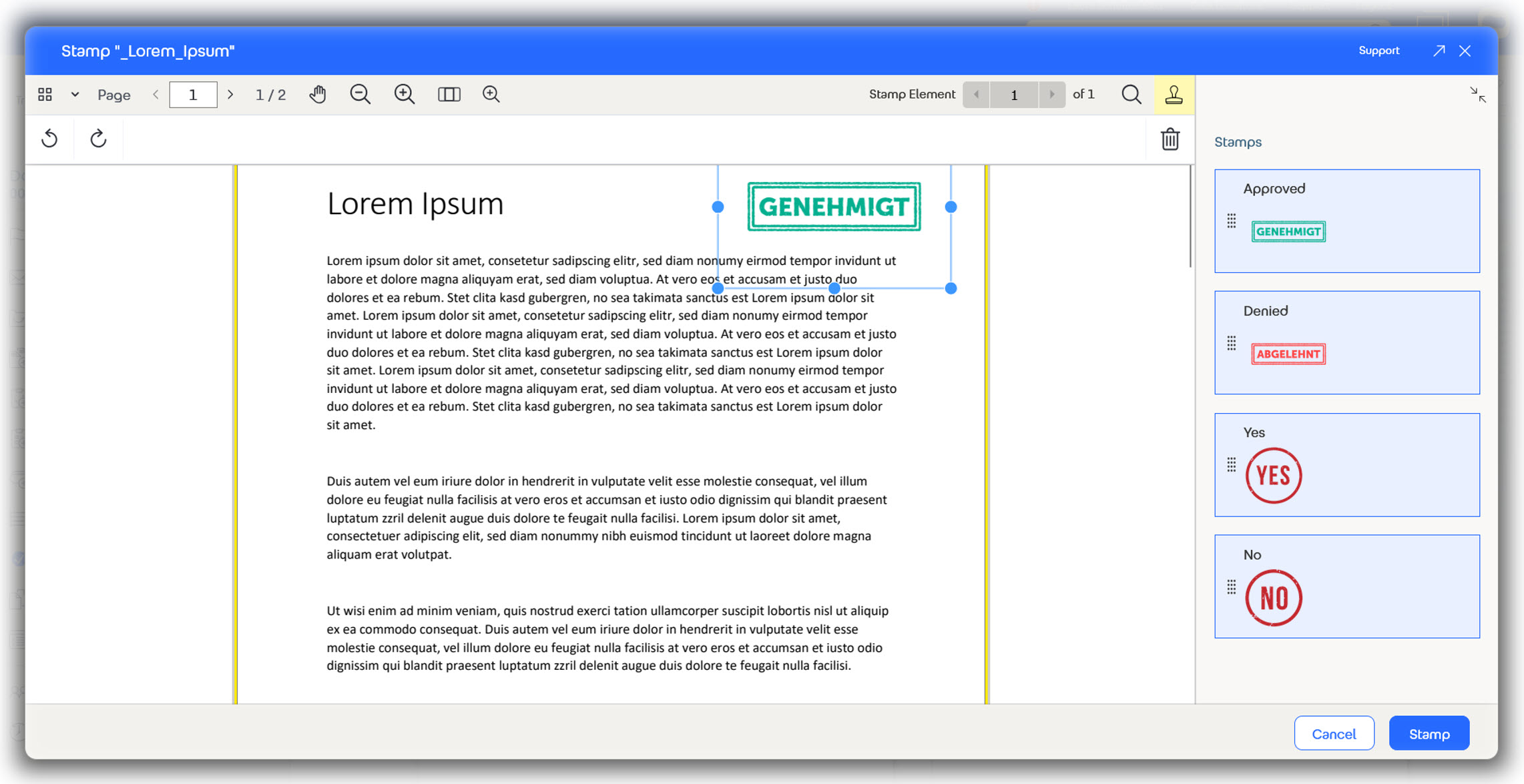
Example of a static stamp with fixed image content and unchangeable dimensions.
Dynamic stamps
Dynamic metadata stamps go one step further: they work similarly to signatures, but are defined as Word templates and can contain multiple fields.
When the stamp is applied, these fields are automatically filled with current information from the document or object metadata. For example, the title block (drawing header) on technical drawings can be overprinted and marked with the current status.
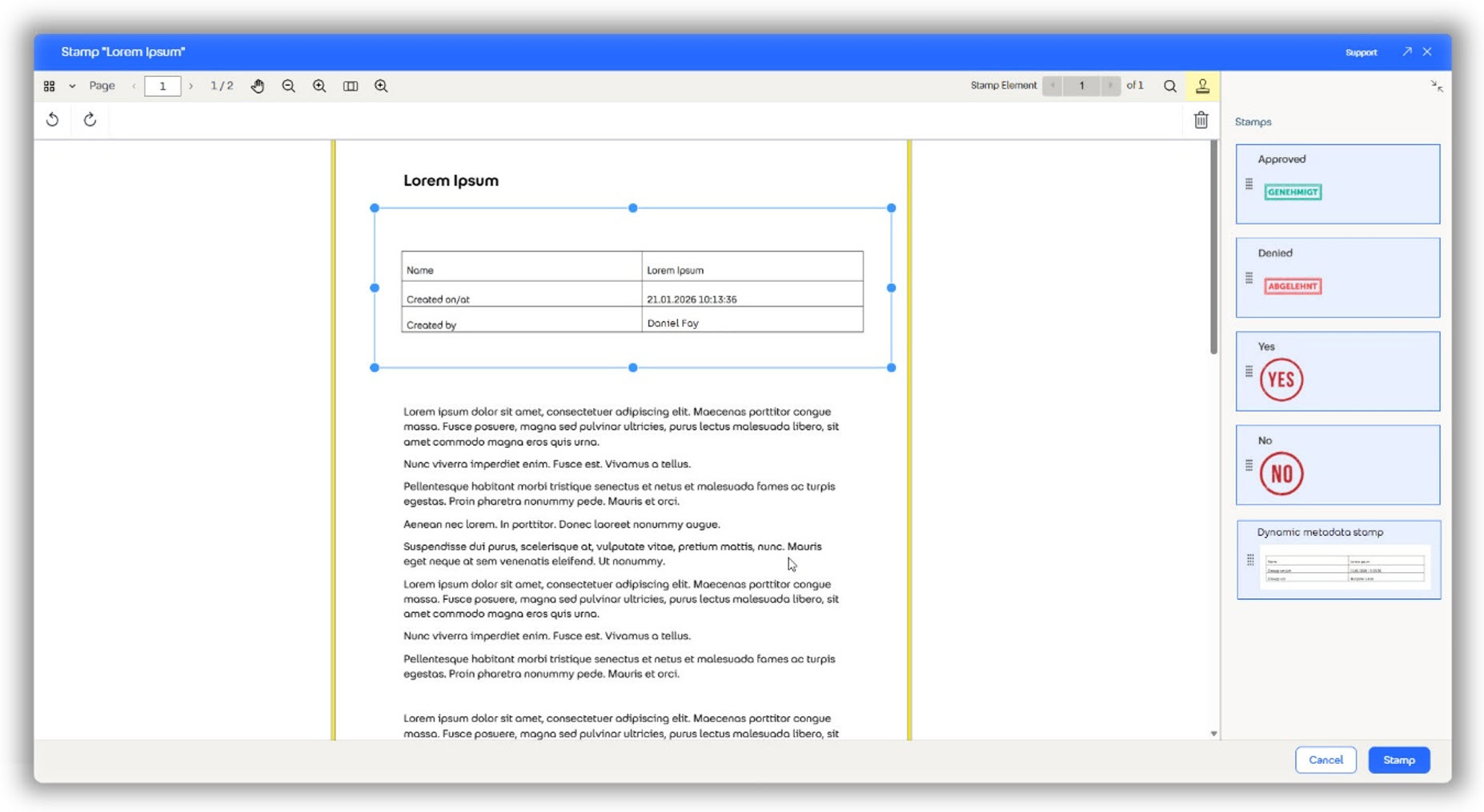
Dynamic metadata stamp that is automatically filled with current document and object information when applied.
You can apply metadata stamps to documents, actions, or open items, provided they contain stampable PDFs. Once applied, they are permanently embedded in the PDF and can no longer be changed. This makes them ideal for approvals, audit notes, or formal markings.
Structured document checks with AI support
Fabasoft Approve also offers new functions in quality assurance. AI-supported document checks allow documents to be evaluated in a structured, traceable, and repeatable manner, significantly reducing the manual review effort.
As a basis for this, you define review templates that function like intelligent checklists and consist of a structured list of document check entries. Each entry is formulated as a specific question and specifies which content, criteria, or formal requirements are to be checked in the document. The evaluation is based on predefined response and status values such as “fulfilled,” “accepted,” or “declined.”
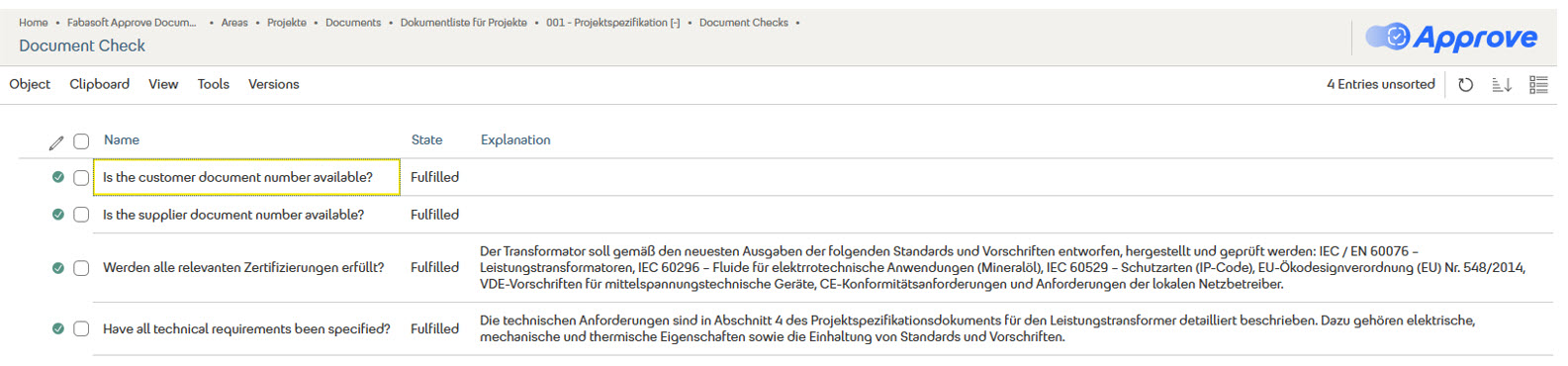
Clear presentation of AI test results, including explanations.
The AI analyzes the relevant documents and provides comprehensible results for each checkpoint, including reasons and references in the document. It can also include metadata from the tested object, such as a customer document number.
A pie chart summarizes the evaluation and shows the proportion of checkpoints that have been fulfilled, accepted, or declined at a glance.
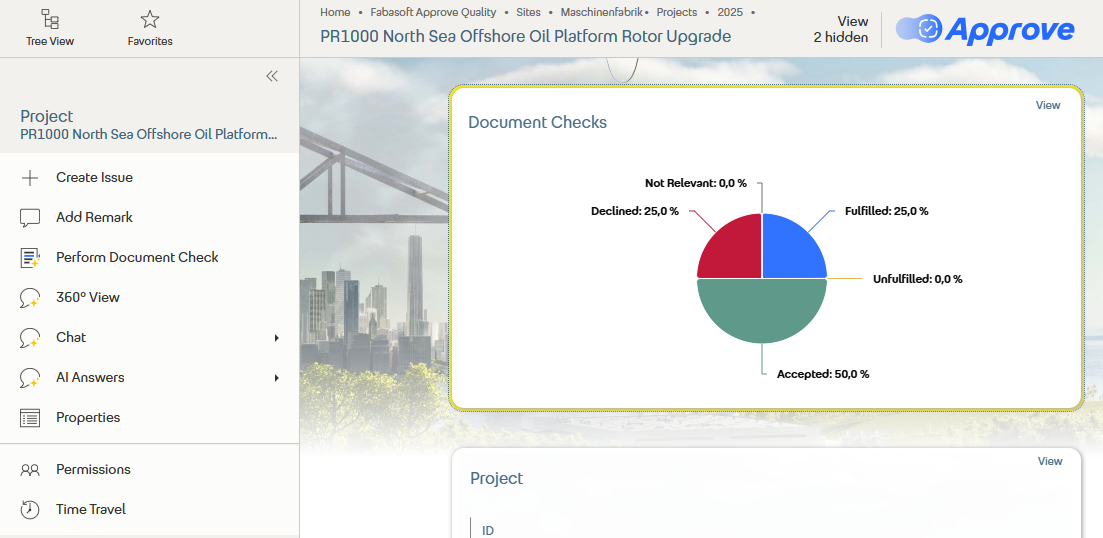
Pie chart showing the test results by status (fulfilled, accepted, declined).
Further information can be found here.