
With its latest release, Fabasoft Approve expands the capabilities of AI-supported document processing and makes metadata extraction even more flexible. In addition, the new features improve the traceability of document revisions, expand the options for stamping PDF documents, and simplify the customization of forms and categories.
Making AI-supported metadata extraction more flexible
Setting up AI-supported metadata extraction now offers more options for tailoring the analysis more precisely to different use cases. In the future, documents can be prioritized so that the AI gives greater weight to particularly relevant sources. Additionally, users can specify which pages of a document are included in the extraction.
Furthermore, the AI now processes not only text but also images. This enables it to better recognize contextual relationships and take information from graphical content into account as well.
New options for ensuring the quality of the results are also available. The AI validates and consolidates its responses to deliver more consistent and traceable results. This allows metadata extraction to be tailored even more precisely to individual requirements.
An overview of the new features:
- Prioritizing particularly relevant documents for response generation
- Analyzing selected sections of a document
- Incorporating images in addition to plain text content
- Validating and consolidating AI-generated responses
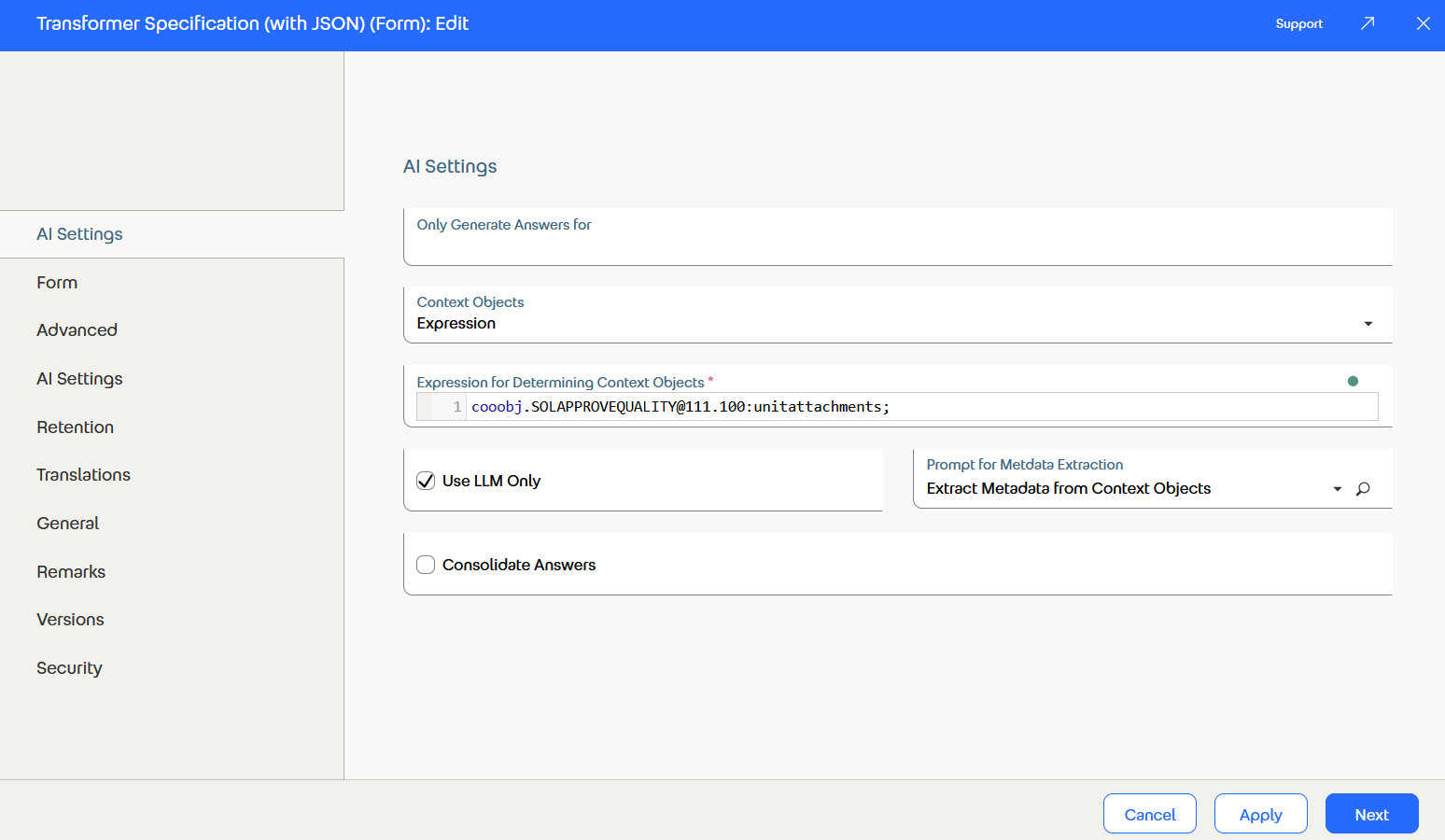
AI form for the work objects on which the AI actions are performed.
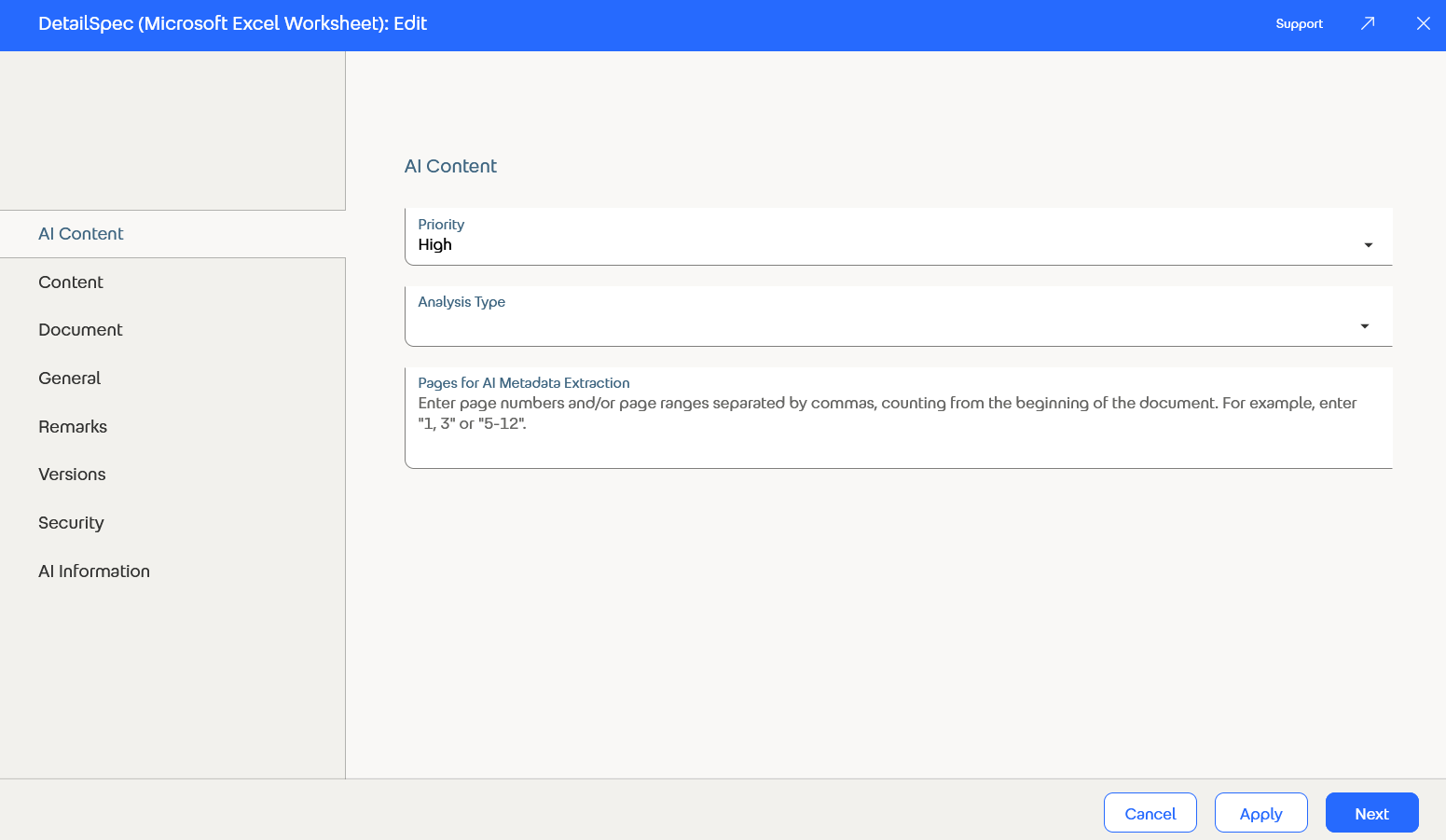
AI form for the data objects that should contain the responses.
Incorporating Comments into New Revisions
An important feature has been added to the document revision process: Comments can now be incorporated directly into a new document revision.
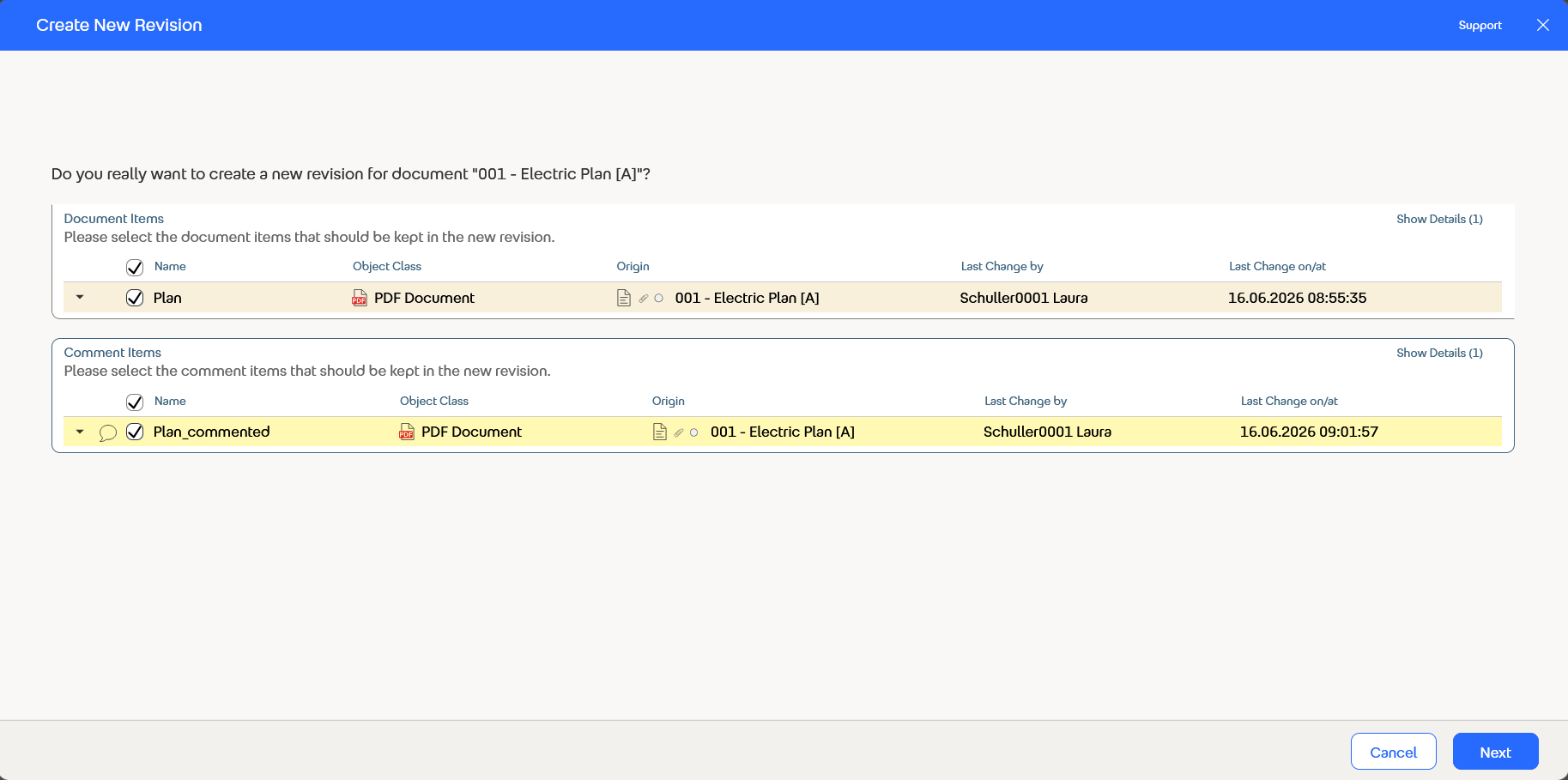
When creating a revision, you can specifically select which comment entries to include in the new version. This helps ensure that notes, discussions, and decisions are more clearly associated with the respective revision status. As a result, a document’s history becomes clearer and easier to track.
Use Metadata Stamps on Additional Objects
The options for stamping PDF documents now include additional objects. Metadata stamps can now be applied not only to documents, but also to letters, cases, actions, and open items.
In addition, existing annotations and markings are preserved after a stamp is applied. Existing comments or highlights are therefore not lost and remain visible.
Greater Security for Forms and Categories
Additional improvements have also been made to the customization of forms and categories. To prevent incorrect settings, only fields that are available for all object classes specified in the “Applicable for” field are now selectable.
For example, if a form uses the object classes “Document” and “Document Instance,” only those default attributes that are common to both object classes – such as the “Comments” field – can be selected. This allows forms to be designed more consistently and reduces potential sources of error right from the setup stage.
For further information, click here.